PixPick
Draw on the frame. Get the coordinates back in Python.
Boxes, polygons, lines and points — picked interactively, returned as objects that drop straight into YOLO, SAM and Supervision.
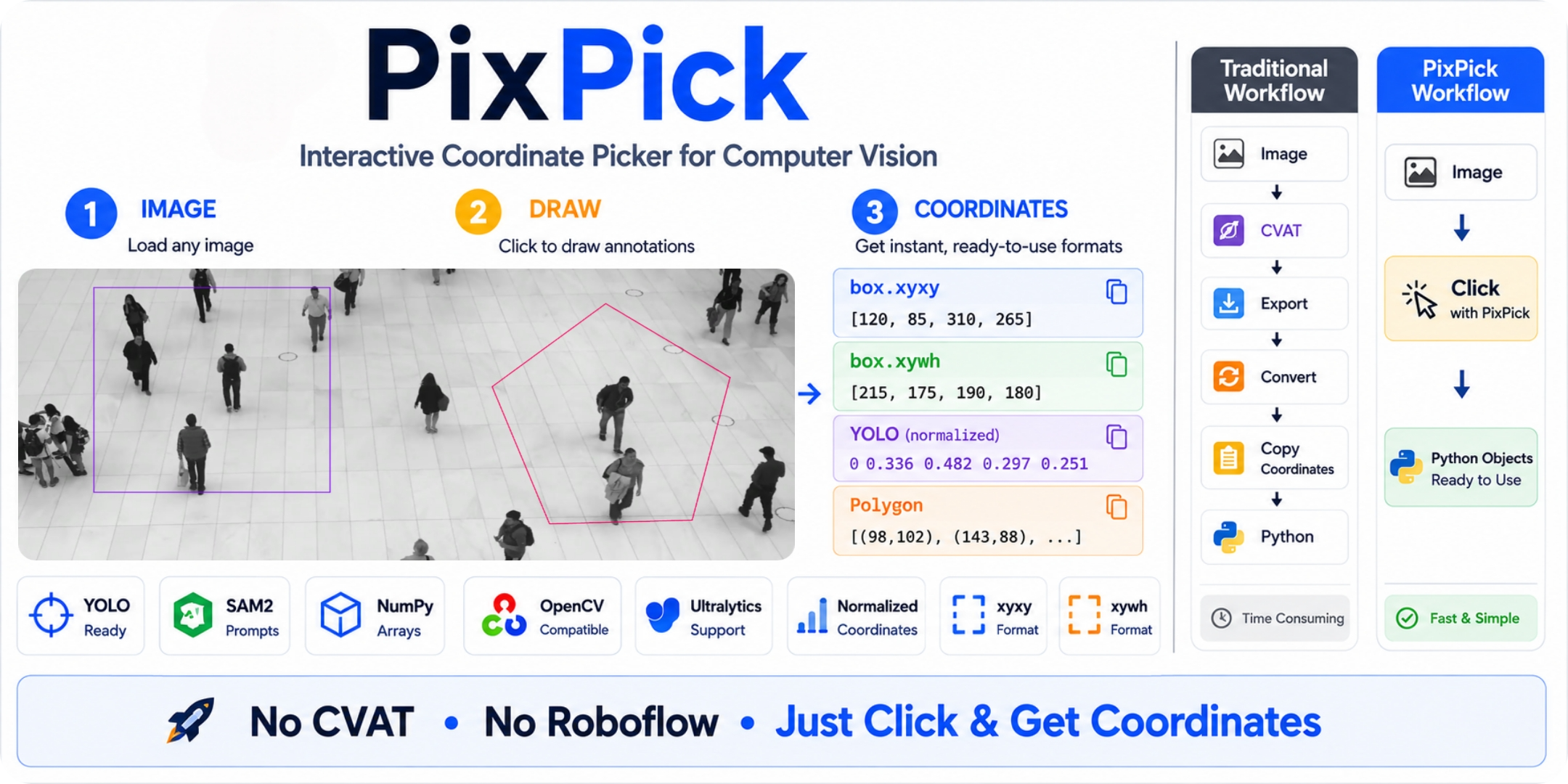
Why PixPick?
Every CV pipeline starts with coordinates you don't have yet.
# YOLO
counter = RegionCounter(region=[(120, 80), (640, 80), (640, 480), (120, 480)])   # where do these come from?

# SAM2 / SAM3
masks = predictor.predict(box=np.array([120, 80, 640, 480]))                     # same question
So you do one of three things:
- Guess and rerun. Type some numbers, run, squint at the output, nudge, run again.
- Write the throwaway script.
cv2.setMouseCallback,print(x, y), copy from the terminal, paste into the real code, delete the script. Next project — write it again. - Open an annotation tool just to read pixel values off the cursor.
None of that is the work. It's the step everyone hates and nobody automated.
PixPick is that step, done once:
import pixpick

region = pixpick.box("video.mp4", frame=10)  # drag a box on a specific video frame
zone   = pixpick.polygon("image.jpg")        # click polygon vertices
picks  = pixpick.point("image.jpg")          # click foreground / background points
A window opens on your image or video frame. You draw. The coordinates come back as Python objects, already in the shape each framework wants. No terminal copy-paste, no throwaway scripts.
Install
pip install pixpick
Selectors
| Selector | How to use | Returns |
|---|---|---|
pixpick.box() |
Left-click + drag | Box |
pixpick.polygon() |
Click vertices | Polygon |
pixpick.line() |
Click start → click end | Line |
pixpick.point() |
Click points (fg / bg) | Point |
Draw several and you get the matching wrapper instead — Multibox, MultiPolygon, MultiLine or MultiPoint.
For more information on controls, see Getting Started.
Output formats
Every selection object carries all the formats you'll ever need.
# ── Box ──────────────────────────────────────────────────────
region = pixpick.box("frame.jpg")

region.yolo_region       # coordinates in YOLO region format
region.yolo_prompt       # coordinates in YOLOE visual prompt format
region.sam               # coordinates in SAM box prompt format
region.center            # center point of the box (cx, cy)
region.area              # area of the box in pixels²


# ── Polygon ───────────────────────────────────────────────────
zone = pixpick.polygon("frame.jpg")

zone.supervision         # {"polygon": np.array} — unpack into sv.PolygonZone()
zone.yolo_region         # coordinates in YOLO region format
zone.bbox                # [x1, y1, x2, y2] tight bounds around the polygon
zone.npoints             # int
zone.norm                # normalized coordinates [(x0n,y0n), ...]  0.0 – 1.0


# ── Line ─────────────────────────────────────────────────────
line = pixpick.line("frame.jpg")

line.center               # center point of the line (cx, cy)
line.length               # length of the line in pixels
line.start                # start point of the line (x1, y1)
line.end                  # end point of the line (x2, y2)
line.vertical             # the same line re-drawn vertically   [(x,y), (x,y)]
line.horizontal           # the same line re-drawn horizontally [(x,y), (x,y)]


# ── Point ────────────────────────────────────────────────────
picks = pixpick.point("frame.jpg")

picks.sam                 # {"point_coords": ..., "point_labels": ...} for SAM
picks.xy                  # [(x0,y0), (x1,y1), ...]
picks.labels              # [1, 0, ...]  1 = foreground, 0 = background
picks.bbox                # Box — tight box around every point (only for MultiPoint)
picks.centroid            # (cx, cy) — (only for MultiPoint)
Framework integration
| Framework | Selector | Method |
|---|---|---|
| Ultralytics YOLOE — visual prompt | Box |
region.yolo_prompt |
| Ultralytics YOLO — region | Box/Polygon |
region.yolo_region |
| SAM / SAM2 / SAM3 — box prompt | Box |
region.sam |
| SAM / SAM2 / SAM3 — point prompt | Point / MultiPoint |
picks.sam |
| Supervision PolygonZone — polygon | Polygon |
zone.supervision |
| Supervision KeyPoints — points | Point / MultiPoint |
picks.supervision |
| Any other format | any type | .raw |